How to Monetize YouTube Videos with Linkvaro.com
Monetizing your YouTube videos has never been easier. With Linkvaro.com, you can start earning money without needing a minimum number of subscribers or views. There are no limits on the number of videos you can publish; the more videos, the higher your earnings.
1. Sign Up
To get started, you need an account on the Linkvaro platform. You can sign up using your email or directly with your Google account.
Sign up link: https://linkvaro.com/auth/signup

2. Choose Campaigns
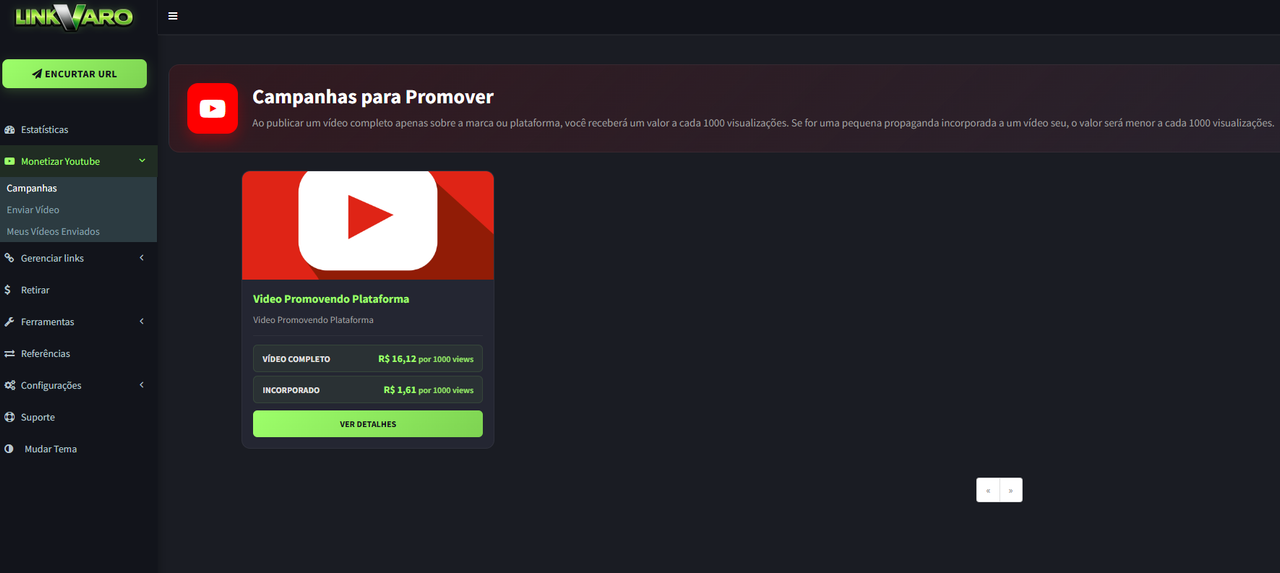
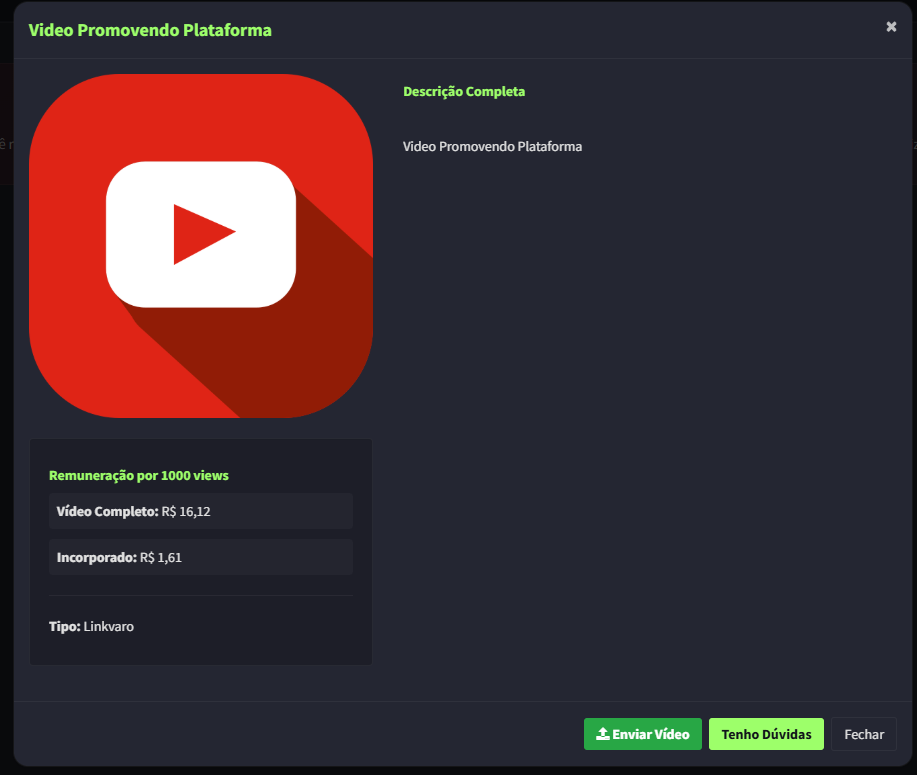
In the member dashboard, go to the "Monetize YouTube" option to view available campaigns. On the campaign page, you will find all the details about the payout per 1,000 views and the approval rules (minimum time, required links, etc.).
There are two main types of videos:
- Exclusive Video: A full video dedicated exclusively to the platform (pays more).
- Embedded Ad: A minimum 30-second ad at the beginning of another video of yours (pays less).
3. Submit your Video
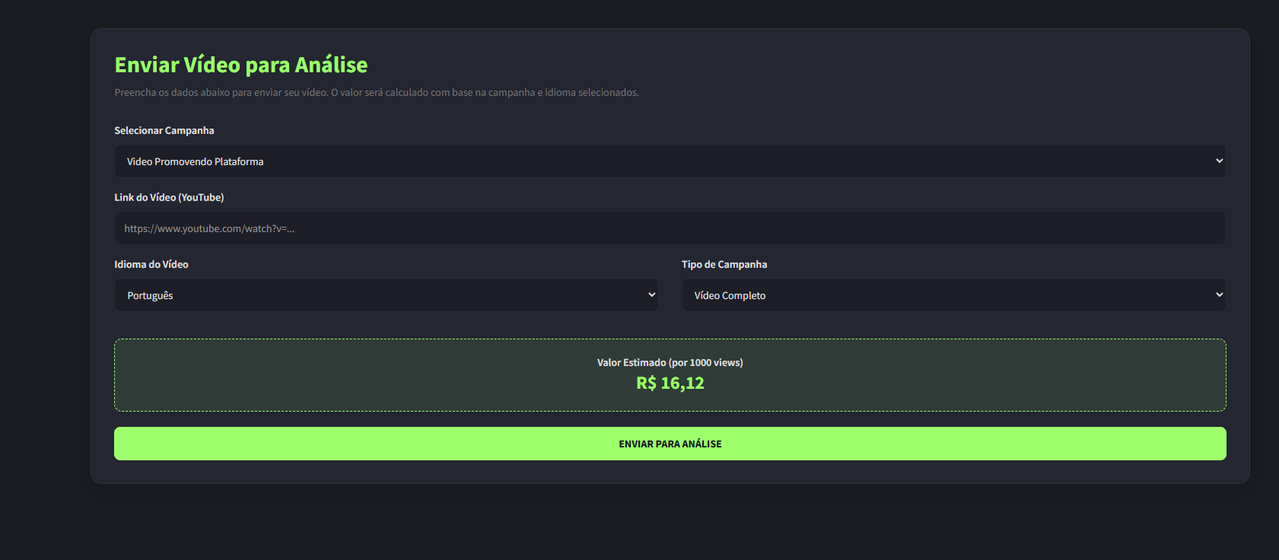
After publishing on YouTube, go to the "Submit New Video" page. Fill out the form by choosing the campaign, video link, monetization type, and language. The video will be reviewed within 3 business days.
4. Tracking
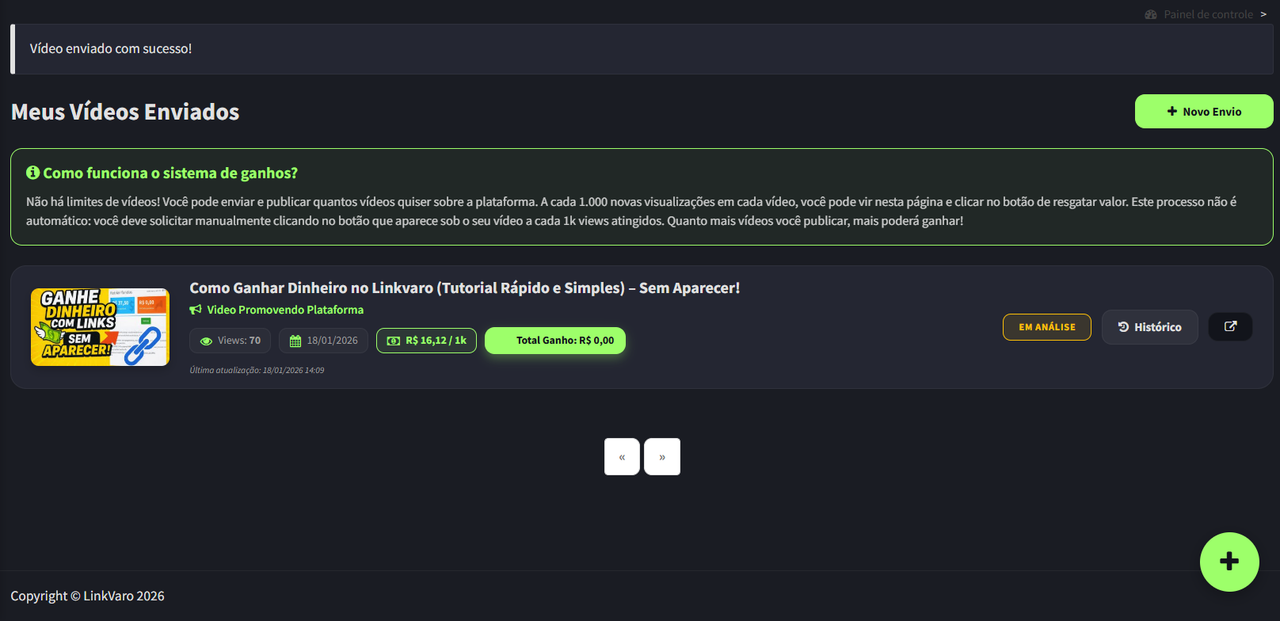
Your videos will appear on the "My Submitted Videos" page. Initially, they will be marked as pending, but you will receive an email notification once they are reviewed. Here you can track views and earnings.
5. View Progress
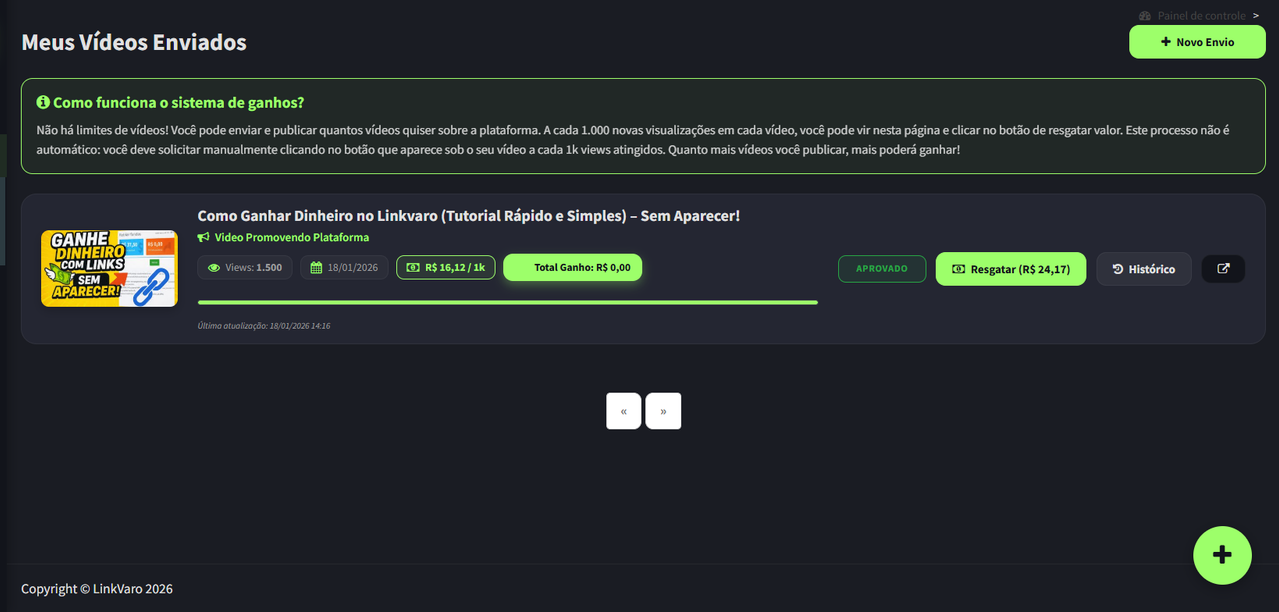
Once approved, a 0-100% bar will show the progress toward reaching the next 1,000 views. The redeem button remains disabled until the goal is met.
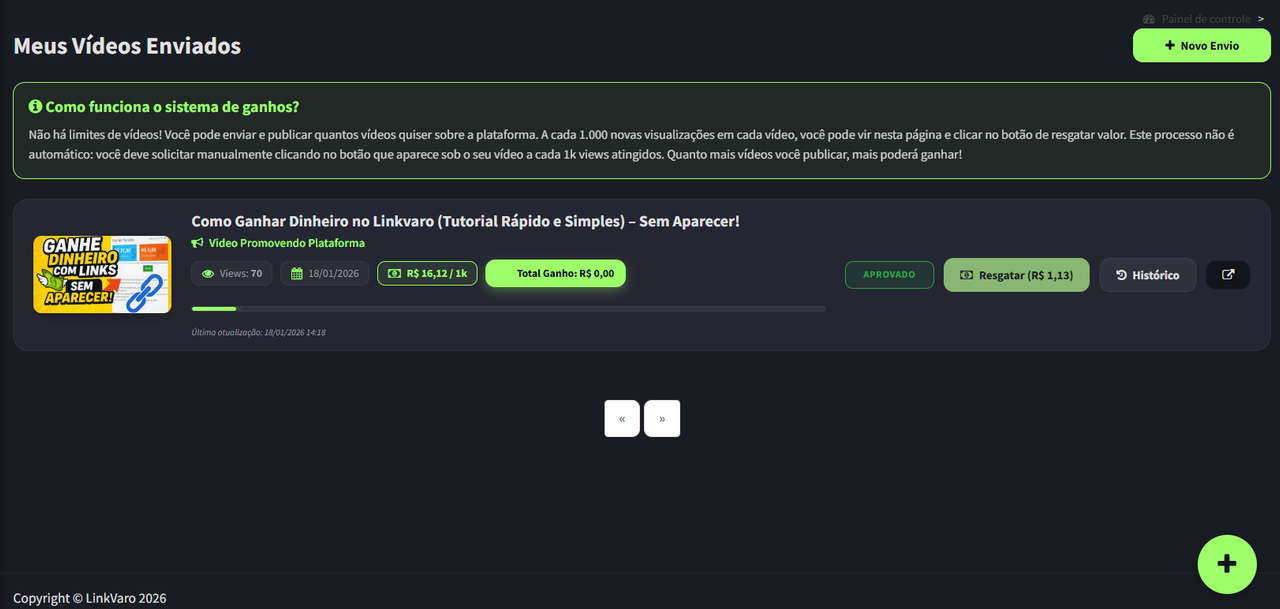
6. Redeem Earnings
As soon as you reach 1,000 views or more, the redeem button becomes enabled. Upon request, the amount goes to your balance and the count restarts for the next 1,000 views.
Conclusion: No tricks or difficulties! Remember that the more videos you publish, the higher your earnings will be. There is no limit to monetized videos!